

HousebetsHousebets
리더보드 상금
주간 상금월간 상금——
리더보드 상금
주간 상금월간 상금——
Housebets 코인

Housebets는 귀하의 지역에서 이용할 수 없습니다

당사의 게임 라이선스로 인해 Housebets.com은 귀하의 국가에 위치한 플레이어를 받을 수 없습니다.

  • 괌
  • 남수단
  • 네덜란드
  • 라이베리아
  • 리투아니아
  • 미국
  • 미국령 버진아일랜드
  • 북마리아나제도
  • 북한
  • 수단
  • 시리아
  • 아메리칸 사모아
  • 영국
  • 이란
  • 이탈리아
  • 체코
  • 카타르
  • 케이맨 제도
  • 쿠바
  • 퀴라소
  • 키프로스
  • 포르투갈
  • 프랑스
Housebets
Housebets

카지노

  • 카지노 홈
  • 슬롯
  • 라이브 카지노
  • 신규 출시
  • 테이블 게임
  • 블랙잭
  • 룰렛
  • 바카라

스포츠

  • 스포츠북
  • 라이브 스포츠
  • 축구
  • 경마
  • 농구
  • 테니스
  • e스포츠
  • NFL
  • 아이스하키

지원/법률

  • 서비스 약관
  • 책임감 있는 도박
  • 자가 제외
  • 분쟁 해결
  • KYC 및 자금세탁방지
  • 공정성 및 RNG 테스트 방법
  • 개인정보 처리방침
  • 계정, 출금 및 보너스
  • FAQ
  • 스포츠북

프로모션

  • VIP 클럽
  • 프로모션

회사 소개

  • Who is Porchy?
  • The Rewards Slider: Rakeback or Lossback
  • Referral FAQ: Share your codes

문의하기

support@housebets.com

커뮤니티

Housebets는 Bridge Technologies B.V. (등록번호 160264(0)), Dr. M.J. Hugenholtzweg 25, Willemstad, Curaçao가 운영합니다. Curaçao Gaming Control Board (OGL/2024/431/0231)의 라이선스를 보유하고 있습니다. 결제는 Bridge Technologies (Cyprus) Limited (HE 440867), Aigyptou 12, Nicosia, Cyprus에서 처리될 수 있습니다.

©2026 Housebets. All rights reserved.

Gamble Responsibly
Housebets

문의하기

support@housebets.com

커뮤니티

Housebets는 Bridge Technologies B.V. (등록번호 160264(0)), Dr. M.J. Hugenholtzweg 25, Willemstad, Curaçao가 운영합니다. Curaçao Gaming Control Board (OGL/2024/431/0231)의 라이선스를 보유하고 있습니다. 결제는 Bridge Technologies (Cyprus) Limited (HE 440867), Aigyptou 12, Nicosia, Cyprus에서 처리될 수 있습니다.
Gamble Responsibly

©2026 Housebets. All rights reserved.

  1. 모든 컬렉션
  2. Account and Security
  3. How do I set up 2FA on my account?

How do I set up 2FA on my account?

Protect your account with Two-Factor Authentication (2FA). Learn how to enable it in just a few steps for added security.

Housebets 지원팀 · 업데이트됨 2026. 3. 3.

Two-factor authentication (2FA) is a security approach in which a code is transmitted to a device linked to an account using authentication software like Authy or Google Authenticator. This code is then required anytime an action on the account is performed, such as logging in.

If you haven't already, we strongly advise you to use this technique to boost the security of your account significantly. Installing a 2FA app on your phone or computer is the first step; Next, go to the Housebets 2FA section under Profile.
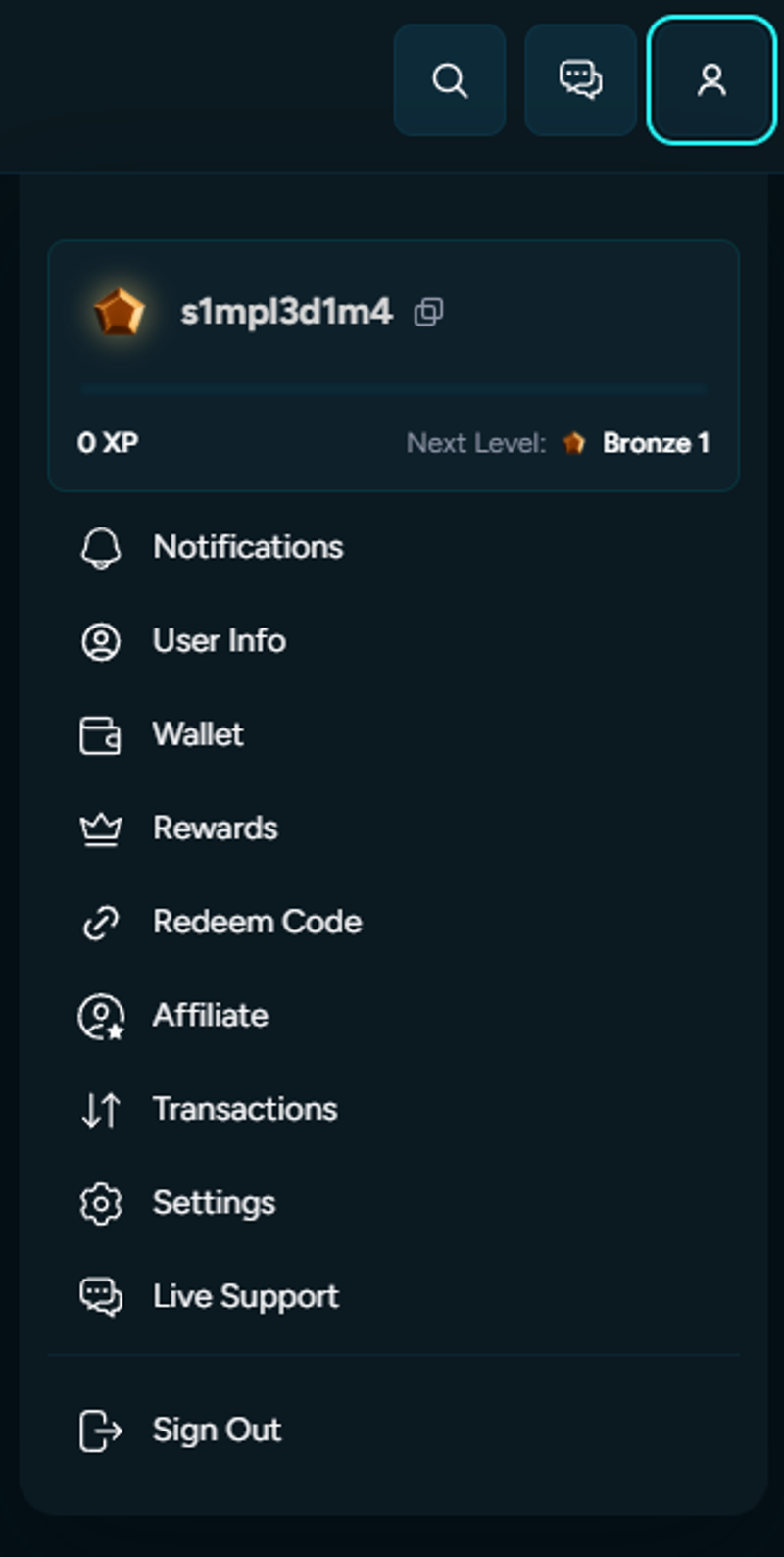
First, click Settings and then select Security.
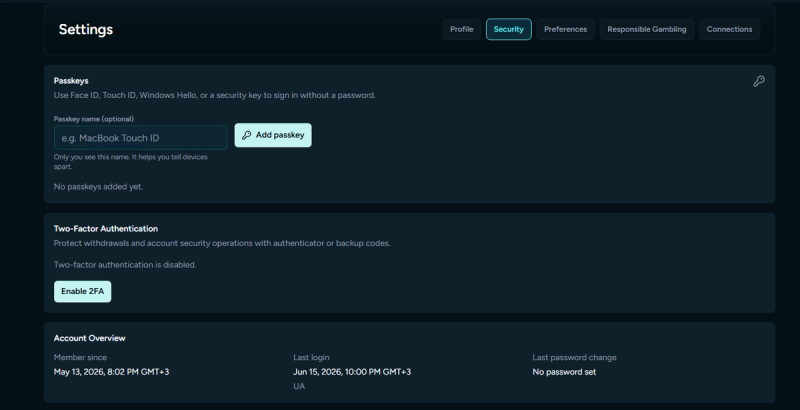
You may scan a QR code to link your Housebets account to the 2FA app you installed. You will also be given a secret Account Token (Key), which you should keep to yourself and never disclose because it can be used to turn off 2FA on your account.
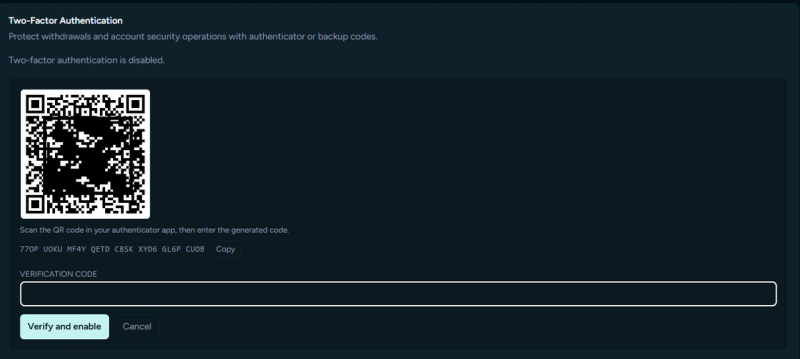
Please enter the code you will see in your app once you'll scan the code.
​
2FA will be activated on your account when this is finished.
​
A 2FA code must be entered to log in, which adds an extra layer of protection to your account. The code will appear as follows: for security, a new one is created every 30 seconds in the app.

관련 문서

Am I eligible to register?
Can I change the email on my account?
How do I change my username?