

HousebetsHousebets
排行榜奖励
每周奖金每月奖金——
排行榜奖励
每周奖金每月奖金——
Housebets 代币

Housebets 在您所在的地区不可用

由于我们的博彩牌照,Housebets.com 无法接受位于您所在国家/地区的玩家。

  • 北马里亚纳群岛
  • 朝鲜
  • 法国
  • 古巴
  • 关岛
  • 荷兰
  • 捷克
  • 卡塔尔
  • 开曼群岛
  • 库拉索
  • 立陶宛
  • 利比里亚
  • 美国
  • 美属萨摩亚
  • 美属维尔京群岛
  • 南苏丹
  • 葡萄牙
  • 塞浦路斯
  • 苏丹
  • 叙利亚
  • 伊朗
  • 意大利
  • 英国
Housebets
Housebets

赌场

  • 赌场首页
  • 老虎机
  • 真人赌场
  • 最新上线
  • 桌面游戏
  • 二十一点
  • 轮盘
  • 百家乐

体育

  • 体育博彩
  • 滚球体育
  • 足球
  • 赛马
  • 篮球
  • 网球
  • 电子竞技
  • NFL
  • 冰球

支持/法律

  • 服务条款
  • 理性博彩
  • 自我排除
  • 争议解决
  • KYC与反洗钱
  • 公平性与RNG测试方法
  • 隐私政策
  • 账户、付款与奖金
  • 常见问题
  • 体育博彩

优惠

  • VIP俱乐部
  • 优惠活动

关于我们

  • Who is Porchy?
  • The Rewards Slider: Rakeback or Lossback
  • Referral FAQ: Share your codes

联系我们

support@housebets.com

我们的社区

Housebets由Bridge Technologies B.V.(注册号160264(0)), Dr. M.J. Hugenholtzweg 25, Willemstad, Curaçao 运营,并持有 Curaçao Gaming Control Board(OGL/2024/431/0231)牌照。付款可能由 Bridge Technologies (Cyprus) Limited(HE 440867), Aigyptou 12, Nicosia, Cyprus 处理。

©2026 Housebets. 版权所有.

Gamble Responsibly
Housebets

联系我们

support@housebets.com

我们的社区

Housebets由Bridge Technologies B.V.(注册号160264(0)), Dr. M.J. Hugenholtzweg 25, Willemstad, Curaçao 运营,并持有 Curaçao Gaming Control Board(OGL/2024/431/0231)牌照。付款可能由 Bridge Technologies (Cyprus) Limited(HE 440867), Aigyptou 12, Nicosia, Cyprus 处理。
Gamble Responsibly

©2026 Housebets. 版权所有.

  1. 所有合集
  2. Account and Security
  3. How do I set up 2FA on my account?

How do I set up 2FA on my account?

Protect your account with Two-Factor Authentication (2FA). Learn how to enable it in just a few steps for added security.

Housebets 支持团队 · 更新于 2026年3月3日

Two-factor authentication (2FA) is a security approach in which a code is transmitted to a device linked to an account using authentication software like Authy or Google Authenticator. This code is then required anytime an action on the account is performed, such as logging in.

If you haven't already, we strongly advise you to use this technique to boost the security of your account significantly. Installing a 2FA app on your phone or computer is the first step; Next, go to the Housebets 2FA section under Profile.
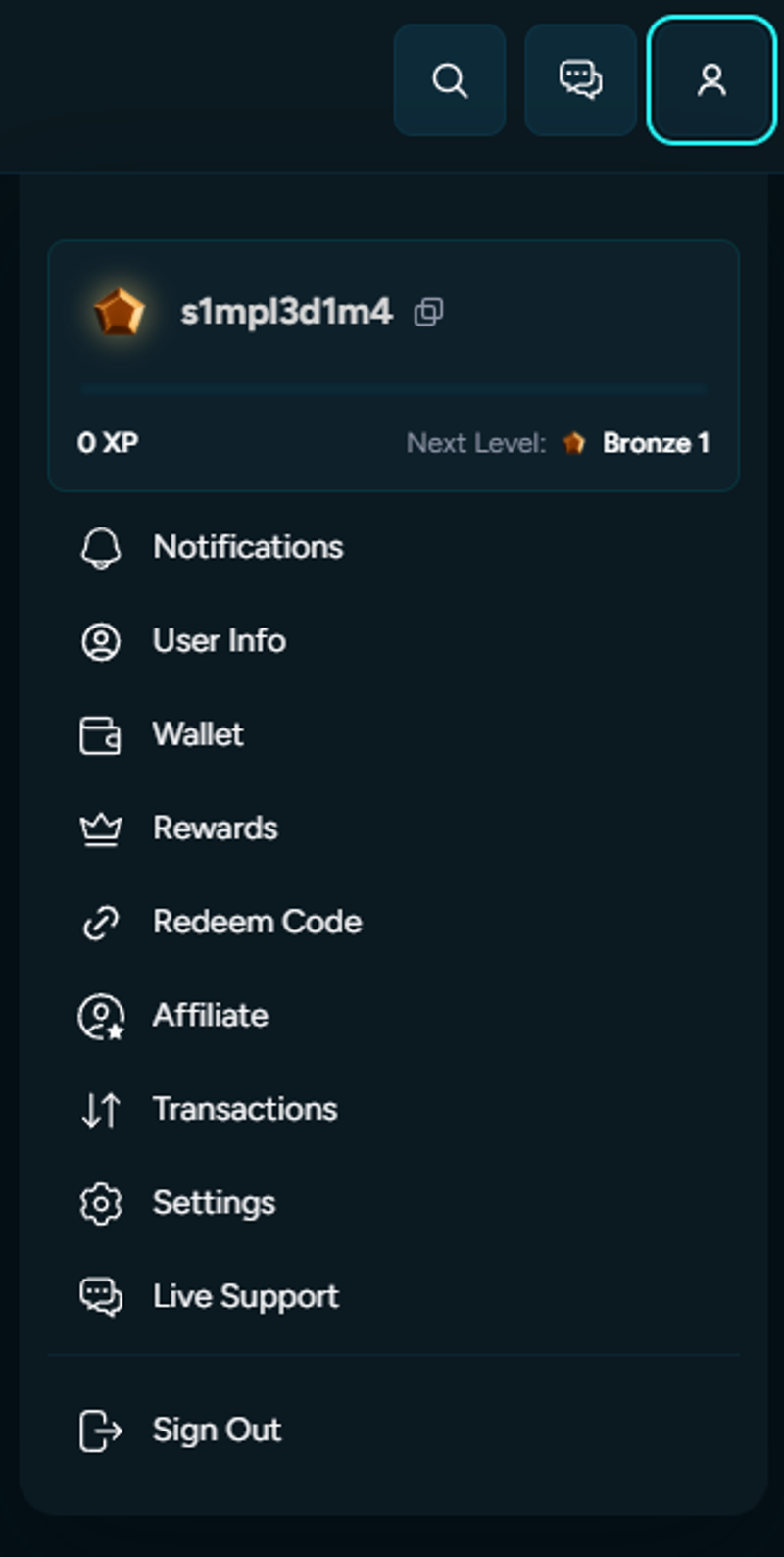
First, click Settings and then select Security.
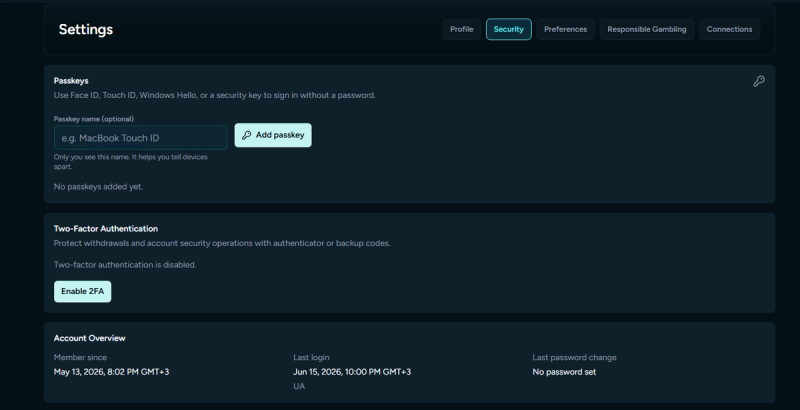
You may scan a QR code to link your Housebets account to the 2FA app you installed. You will also be given a secret Account Token (Key), which you should keep to yourself and never disclose because it can be used to turn off 2FA on your account.
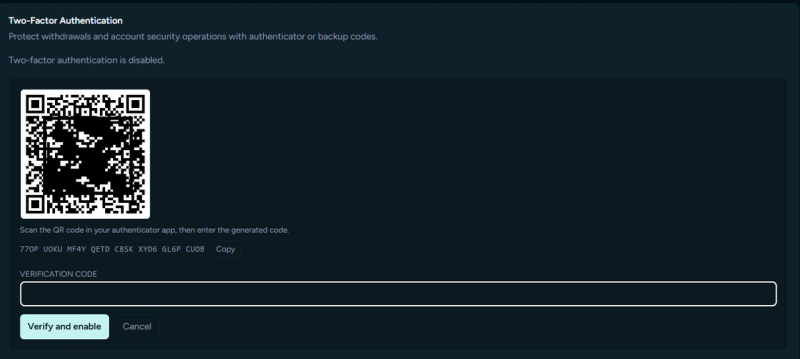
Please enter the code you will see in your app once you'll scan the code.
​
2FA will be activated on your account when this is finished.
​
A 2FA code must be entered to log in, which adds an extra layer of protection to your account. The code will appear as follows: for security, a new one is created every 30 seconds in the app.

相关文章

Am I eligible to register?Can I change the email on my account?How do I change my username?