
HousebetsHousebets
リーダーボードの賞品
週間賞金月間賞金——
リーダーボードの賞品
週間賞金月間賞金——
Housebetsコイン

Housebetsはお住まいの地域ではご利用いただけません

当社のゲーミングライセンスにより、Housebets.comはお客様の国に所在するプレイヤーを受け入れることができません。

  • アメリカ合衆国
  • イギリス
  • イタリア
  • イラン
  • オランダ
  • カタール
  • キプロス
  • キューバ
  • キュラソー
  • グアム
  • ケイマン諸島
  • シリア
  • スーダン
  • チェコ
  • フランス
  • ポルトガル
  • リトアニア
  • リベリア
  • 南スーダン
  • 米領ヴァージン諸島
  • 米領サモア
  • 北マリアナ諸島
  • 北朝鮮
Housebets
Housebets

カジノ

  • カジノホーム
  • スロット
  • ライブカジノ
  • 新着
  • テーブルゲーム
  • ブラックジャック
  • ルーレット
  • バカラ

スポーツ

  • スポーツブック
  • ライブスポーツ
  • サッカー
  • 競馬
  • バスケットボール
  • テニス
  • eスポーツ
  • NFL
  • アイスホッケー

サポート/法務

  • 利用規約
  • 責任あるギャンブル
  • 自己除外
  • 紛争解決
  • KYC・マネーロンダリング対策
  • 公平性とRNGテスト方法
  • プライバシーポリシー
  • アカウント、出金、ボーナス
  • FAQ
  • スポーツブック

プロモ

  • VIPクラブ
  • プロモーション

Housebetsについて

  • Who is Porchy?
  • The Rewards Slider: Rakeback or Lossback
  • Referral FAQ: Share your codes

お問い合わせ

support@housebets.com

コミュニティ

Housebetsは、Bridge Technologies B.V.(登録番号160264(0)), Dr. M.J. Hugenholtzweg 25, Willemstad, Curaçao により運営されています。Curaçao Gaming Control Board(OGL/2024/431/0231)の認可を受けています。支払いは、Bridge Technologies (Cyprus) Limited(HE 440867), Aigyptou 12, Nicosia, Cyprus により処理される場合があります。

©2026 Housebets. All rights reserved.

Gamble Responsibly
Housebets

お問い合わせ

support@housebets.com

コミュニティ

Housebetsは、Bridge Technologies B.V.(登録番号160264(0)), Dr. M.J. Hugenholtzweg 25, Willemstad, Curaçao により運営されています。Curaçao Gaming Control Board(OGL/2024/431/0231)の認可を受けています。支払いは、Bridge Technologies (Cyprus) Limited(HE 440867), Aigyptou 12, Nicosia, Cyprus により処理される場合があります。
Gamble Responsibly

©2026 Housebets. All rights reserved.

  1. すべてのコレクション
  2. Account and Security
  3. How do I set up 2FA on my account?

How do I set up 2FA on my account?

Protect your account with Two-Factor Authentication (2FA). Learn how to enable it in just a few steps for added security.

Housebets サポート · 更新日 2026/03/03

Two-factor authentication (2FA) is a security approach in which a code is transmitted to a device linked to an account using authentication software like Authy or Google Authenticator. This code is then required anytime an action on the account is performed, such as logging in.

If you haven't already, we strongly advise you to use this technique to boost the security of your account significantly. Installing a 2FA app on your phone or computer is the first step; Next, go to the Housebets 2FA section under Profile.
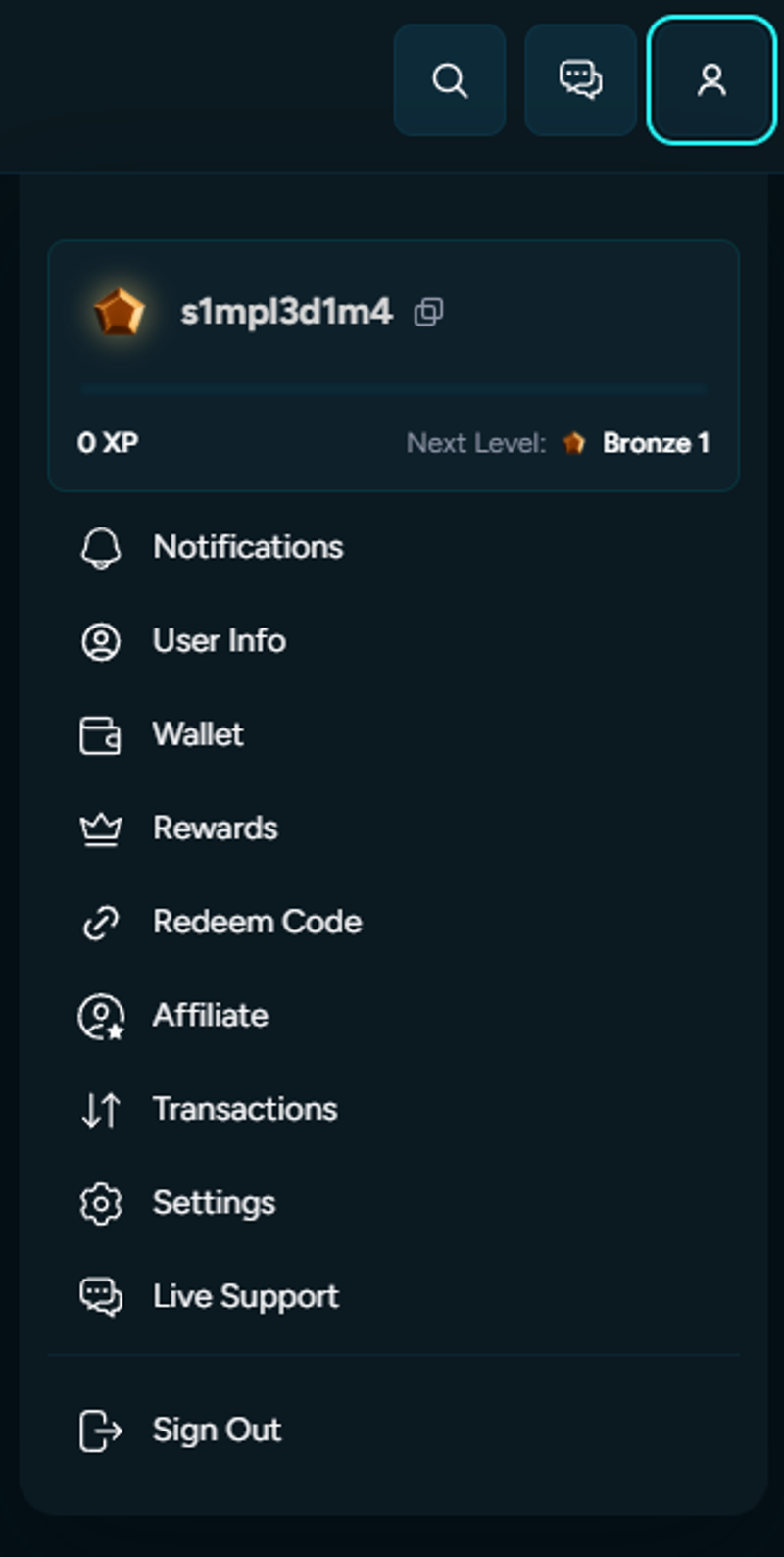
First, click Settings and then select Security.
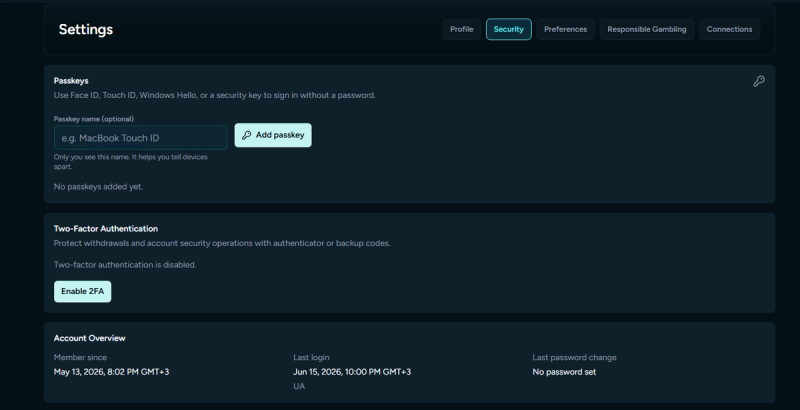
You may scan a QR code to link your Housebets account to the 2FA app you installed. You will also be given a secret Account Token (Key), which you should keep to yourself and never disclose because it can be used to turn off 2FA on your account.
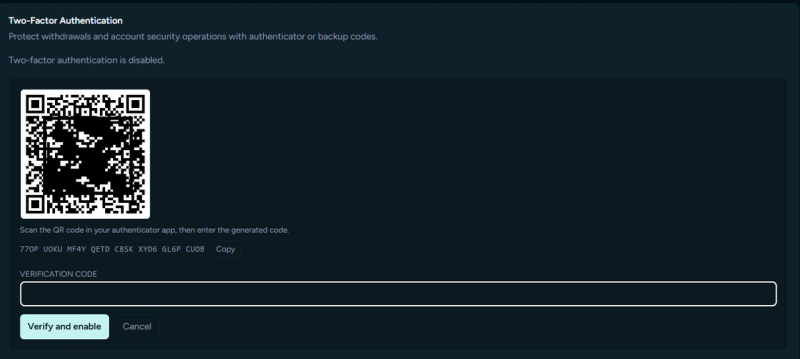
Please enter the code you will see in your app once you'll scan the code.
​
2FA will be activated on your account when this is finished.
​
A 2FA code must be entered to log in, which adds an extra layer of protection to your account. The code will appear as follows: for security, a new one is created every 30 seconds in the app.

関連記事

Am I eligible to register?
Can I change the email on my account?
How do I change my username?